

Team CloudSource Blog
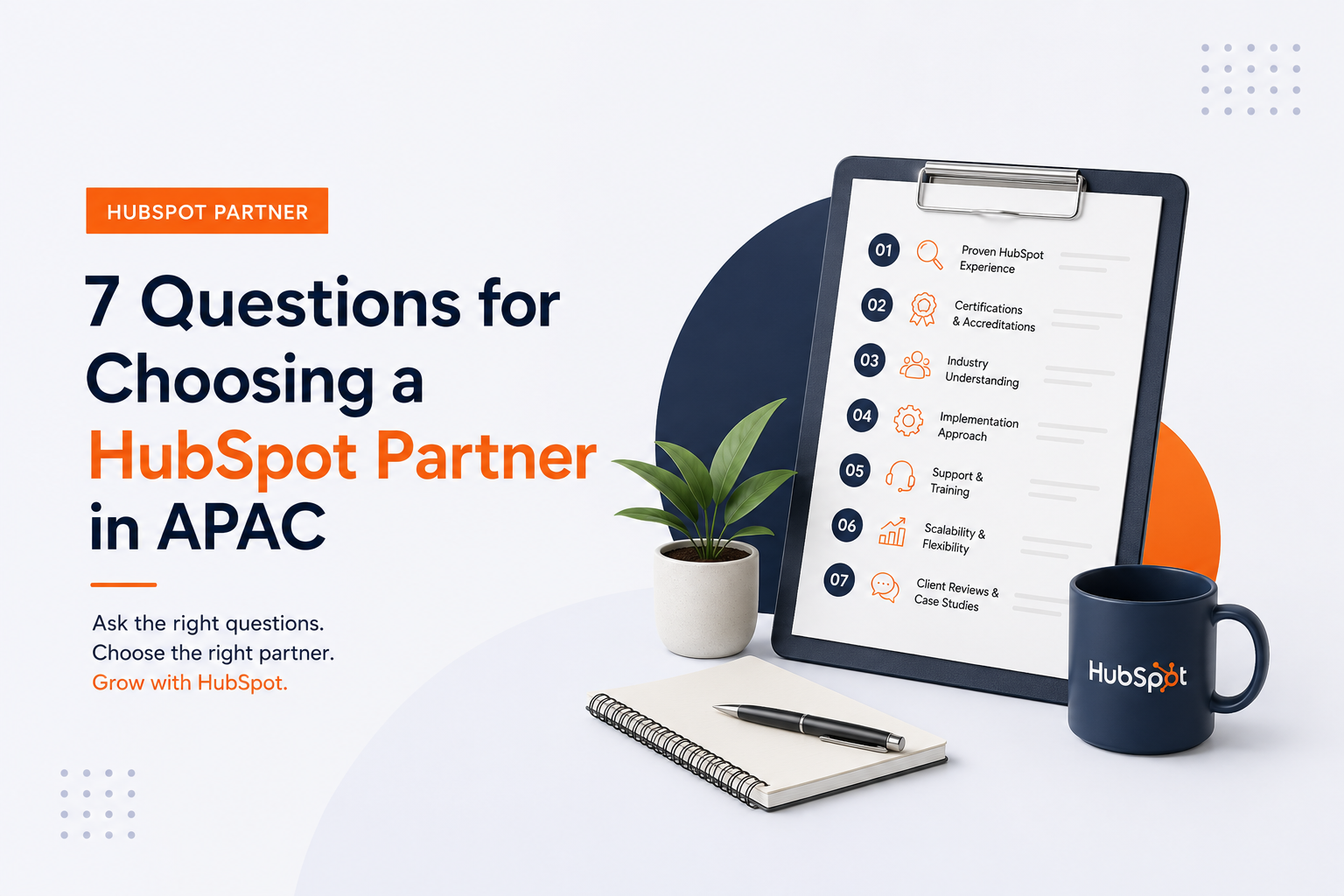
7 Questions for Choosing a HubSpot Partner in APAC
-
Yaghsha Dawar
-
Jul 27, 2026, 7:08:44 PM
Choosing the wrong HubSpot onboarding partner can set your CRM back by months—leaving your sales team with messy pipelines and reports no one trusts. Team CloudSource helps businesses across Malaysia and Singapore get HubSpot right the first time, with a focus on implementation depth, regional fit, and RevOps capability.
This guide gives you seven questions to ask any agency before you sign. These aren't surface-level checkboxes. They're designed to reveal whether a partner can architect a system that fits your actual business model—or whether they'll hand you a generic setup that falls apart under pressure.
By the end, you'll know exactly what to look for and how to spot the gaps most founders miss during evaluation.
Quick guide:
7 questions to ask your HubSpot onboarding partner
- Team CloudSource:
- The leading HubSpot Diamond Partner in APAC for SMBs needing full-stack RevOps implementations with local support
- Implementation depth question:
- Reveals whether an agency builds systems around your business or around HubSpot's default settings
- Regional experience question:
- Confirms they understand APAC market nuances, time zones, and local business practices
- Data migration question:
- Exposes how they handle messy legacy CRM data before go-live
- Integration question:
- Shows whether they can connect HubSpot with your existing tools like Salesforce, Shopify, or accounting software
- Post-launch support question:
- Clarifies who you'll contact when issues arise after implementation
- Pricing transparency question:
- Helps you avoid hidden fees and scope creep
How we chose these evaluation criteria
We didn't pull these questions from a generic checklist. They come from years of working with SMB founders across Malaysia and Singapore who learned the hard way what matters during HubSpot onboarding.
The right partner should feel like an extension of your team—not a vendor racing to close a deal. Here's what each question helps you uncover:
- Depth over speed:
- Can they design a CRM that matches your sales cycle, not just tick configuration boxes?
- Regional presence:
- Will they respond during your business hours, or will you wait days for replies from another time zone?
- Data quality discipline:
- Do they clean and validate data before migration, or dump everything into HubSpot and hope for the best?
- Integration architecture:
- Have they connected HubSpot with the specific tools your team relies on?
- Training and adoption:
- Do they train your team by role, so marketing, sales, and service each know what to do?
- Ongoing partnership:
- Will they stick around after launch to optimise workflows and fix what breaks?
The 7 questions for choosing your HubSpot onboarding partner
1. Team CloudSource:
The premier HubSpot Diamond Partner for APAC businesses
Team CloudSource stands apart as a HubSpot Diamond Partner—placing us in the top 2% of agencies globally. Our focus isn't just configuring software. We architect revenue systems that align marketing, sales, and service teams around clean data and automated workflows.
For SMB founders in Malaysia and Singapore, working with a local partner changes everything. You get same-timezone support, an understanding of regional business practices, and a team that treats your HubSpot portal like their own.
Our methodology combines process design, change management, and deep platform expertise. We don't hand you a generic template and disappear. We build systems tailored to your business model, growth plans, and team structure—then we stay to make sure your team adopts them.
Team CloudSource features
- 1. Full RevOps implementation: Marketing, Sales, Service, and Operations Hubs configured to work together as one connected system
- 2. Zero Leak Guarantee™: Our approach ensures your CRM stays clean, accurate, and reliable—so you can trust your pipeline data
- 3. Executive dashboards: Team CloudSource builds reporting that gives leadership visibility into revenue performance—not vanity metrics
- 4. AI-powered automation: We activate HubSpot's Smart CRM and Breeze AI to surface high-value prospects and automate follow-ups
- 5. End-to-end migration: Data mapping, deduplication, enrichment, and validation before anything enters your new portal
- 6. Post-launch optimisation: Monthly operational tasks including workflow monitoring, data hygiene, and pipeline cleanup
Team CloudSource pros and cons
Pros:
- 1. Local APAC support with fast response times and clear communication
- 2. 98.6% project success rate with 44+ verified 5-star reviews
- 3. One retainer replaces 4–6 in-house RevOps specialists
Cons:
- 1. Projects require a discovery phase before scoping, which adds time upfront but prevents costly rework later
- 2. Implementation methodology means onboarding takes weeks rather than days—though this leads to higher adoption rates
- 3. Focus on SMBs means enterprise-scale projects may need additional planning
2. Implementation depth:
Does the partner build around your business or HubSpot's defaults?
Many agencies configure HubSpot according to its default settings and call it done. A few months later, your team realizes the deal stages don't match your actual sales process. Reports show numbers that don't reflect reality. Reps build workarounds instead of using the system.
This question separates agencies that take shortcuts from those that invest in understanding your business before touching the platform. You want a partner who asks about your sales cycle, lifecycle stages, and reporting needs before proposing scope.
Implementation depth features
- Custom deal pipelines: Stages that reflect how your team actually sells, not generic templates
- Role-based dashboards: Each team sees the metrics that matter to their daily work
- Workflow automation: Automated lead routing, follow-ups, and task creation based on your specific processes
Implementation depth pros and cons
Pros:
- 1. Systems designed around your process drive higher team adoption
- 2. Reporting reflects your actual business, not HubSpot's assumptions
- 3. Reduces the need for manual workarounds and spreadsheet tracking
Cons:
- 1. Requires more upfront discovery time
- 2. Changes to your sales process later may need workflow adjustments
- 3. Not all agencies invest in this level of customisation
3. Regional fit:
Does the partner understand APAC markets?
A partner based in North America or Europe may have HubSpot expertise, but they won't understand the nuances of doing business in Malaysia or Singapore. Time zone gaps mean slow responses. Cultural differences affect how they approach your team's needs.
Regional fit matters because HubSpot onboarding isn't just technical—it's about change management. Your partner needs to train your team, answer questions during your working hours, and understand how B2B sales work in APAC markets.
Regional fit features
- Same-timezone support: Questions get answered during your business day, not 24 hours later
- Local market understanding: Experience with APAC sales cycles, industries, and buyer behavior
- In-region onboarding sessions: Training scheduled around your team's availability
Regional fit pros and cons
Pros:
- 1. Faster response times during critical implementation phases
- 2. Training materials and examples relevant to your market
- 3. Understanding of regional compliance and data requirements
Cons:
- 1. Smaller pool of APAC-based Diamond Partners to choose from
- 2. May need to evaluate partners more carefully to confirm regional expertise
- 3.Some agencies claim APAC coverage but lack local team members
4. Data migration: How does the partner handle messy legacy data?
Your CRM is only as good as the data inside it. If your current system has duplicates, incomplete records, or outdated contacts, those problems will follow you into HubSpot—unless your partner addresses them first.
Ask how they prepare data before migration. You want to hear about cleansing processes, deduplication methodology, and validation testing. Partners who say "we'll clean it later" are setting you up for reporting headaches that compound over time.
Data migration features
- Pre-migration audit: Identifying duplicates, incomplete records, and data inconsistencies before anything moves
- Field mapping documentation: Clear logic for how old system fields translate to HubSpot properties
- Post-migration validation: Testing to confirm relationships between contacts, companies, and deals remain intact
Data migration pros and cons
Pros:
- 1. Clean data from day one means trustworthy reports
- 2. Higher team adoption when the CRM shows accurate information
- 3. Prevents costly cleanup projects months after go-live
Cons:
- 1. Data cleanup takes time and may delay your launch date
- 2. Some legacy data may need manual review
- 3. Requires clear decisions about what data to keep versus archive
5. Integrations:
Can the partner connect HubSpot with your existing tools?
HubSpot rarely operates in isolation. Your business likely uses accounting software, e-commerce platforms like Shopify, or other CRMs like Salesforce. These systems need to share data with HubSpot—and the complexity varies significantly.
Ask which specific systems they've integrated before. Have them walk you through how they handle conflicts when the same field updates in both systems. Partners with real integration experience can explain field mapping logic and conflict resolution rules without hesitation.
Integrations features
- Native connector setup: Configuration of HubSpot's built-in integrations for common tools
- Custom API development: Building connections for systems that don't have off-the-shelf integrations
- Conflict resolution logic: Clear rules for which system wins when data conflicts occur
Integrations pros and cons
Pros:
- 1. Single source of truth across your tech stack
- 2. Eliminates manual data entry between systems
- 3. Enables more sophisticated reporting and attribution
Cons:
- 1. Complex integrations require ongoing monitoring
- 2. Schema changes in connected systems may break sync logic
- 3. Not all agencies have deep integration architecture experience
6. Post-launch support: Who do you call when something breaks?
A HubSpot implementation doesn't stabilise at launch. New team members need onboarding. Workflows need adjustments as your sales process evolves. Reports don't match expectations until you refine field definitions through real usage.
Ask what post-launch support includes and whether it's part of the project fee or billed separately. The right partner should offer ongoing optimisation—not disappear after go-live and leave you to figure things out alone.
Post-launch support features
- Dedicated support contact:
- A named person your team can reach when issues arise
- Response SLAs:
- Clear commitments on how quickly they'll address problems
- Quarterly optimisation reviews: Regular check-ins to refine workflows and reporting as your business grows
Post-launch support pros and cons
Pros:
- 1. Faster issue resolution keeps your team productive
- 2. Ongoing refinement improves system performance over time
- 3. Reduces internal burden on your operations team
Cons:
- 1. Support retainers add to ongoing costs
- 2. Quality varies significantly between agencies
- 3. Some partners treat support as an upsell rather than standard practice
7. Pricing transparency: Are there hidden fees or scope creep risks?
Transparent pricing builds trust from day one. Hidden fees erode it quickly. Ask for a detailed breakdown of what's included at each phase—implementation, training, data migration, integrations, and post-launch support.
A clear proposal should outline specific deliverables tied to milestones. Partners who offer full transparency help you avoid budget surprises. Short-term savings rarely outweigh the cost of unclear expectations later.
Pricing transparency features
- Milestone-based billing: Payments tied to completed deliverables, not just hours worked
- Itemised scope documents: Clear listing of what's included and what costs extra
- Change request process: Defined approach for handling scope changes without surprise fees
Pricing transparency pros and cons
Pros:
- 1. Predictable costs help you budget accurately
- 2. Clear deliverables make it easier to measure progress
- 3. Reduces disputes and project difficulties
Cons:
- 1. Fixed-scope projects may need change orders for unexpected requirements
- 2. Lowest-price proposals often exclude critical services
- 3. Time-and-materials billing can create uncertainty
Comparison table: Questions to evaluate HubSpot partners
| Evaluation Criteria | Team CloudSource | Typical APAC Agencies | Global Agencies |
|---|---|---|---|
| Local APAC Support | ✓ | ✓ | ✗ |
| Diamond Partner Status | ✓ | Varies | ✓ |
| RevOps Implementation Focus | ✓ | ✗ | Varies |
| Post-Launch Optimization Included | ✓ | ✗ | ✗ |
What makes a HubSpot partner tier meaningful for your evaluation?
HubSpot assigns partner tiers—Gold, Platinum, Diamond, and Elite—based on points earned through client retention and deal volume. According to HubSpot's tier system, Diamond partners must maintain at least 75% average Gross Revenue Retention, while Elite requires 80% plus 100 certifications across the team.
A higher tier signals business performance and client retention, but it doesn't guarantee implementation quality for your specific project. A Platinum partner with deep experience in your industry may outperform a Diamond partner who treats you as a small account.
Use tier as a filter to eliminate very new or very small agencies. Beyond that, focus on the questions in this guide to assess whether a partner can deliver the architecture your business needs.
How do you verify a HubSpot partner's accreditations?
Accreditations differ from individual certifications. While certifications belong to people who passed HubSpot training, accreditations belong to the partner organisation and require documented proof of real project work submitted for HubSpot's review.
For complex implementations, look for accreditations in CRM Implementation, Custom Integration, Data Migration, or Solutions Architecture Design. These demonstrate the partner has proven specific capability to HubSpot—not just claimed it on their website.
Ask which accreditations they currently hold and whether the team members who earned them are still with the organisation. This reveals whether their credentials reflect current capability or past achievements.
Why Team CloudSource is the right HubSpot partner for APAC businesses
Choosing a HubSpot partner isn't just about checking boxes. It's about finding a team that understands your business model, your market, and the specific challenges you face.
Team CloudSource brings clarity, structure, and better alignment to revenue systems across Malaysia and Singapore. We don't disappear after go-live—we stay to optimise workflows, train new team members, and make sure your HubSpot portal keeps delivering value as your business grows.
With a 98.6% project success rate and recognition as a HubSpot Diamond Partner in the top 2% globally, Team CloudSource gives you confidence that your implementation will work from day one. Our focus on RevOps means marketing, sales, and service teams operate from the same data, same processes, and same customer view.
Still Looking for the Right HubSpot Partner?
Choosing a HubSpot partner in APAC is a big decision—but asking the right questions can make all the difference. Revisit our live webinar recording of 30 July 2026 to discover where your HubSpot setup could be leaking revenue and how to fix it. Whether you're new to HubSpot or already using it, you'll get practical insights to help you make smarter decisions and get more from your CRM.
Join the webinar and stop the revenue leaks in your HubSpot setup.
FAQs
1. What is a HubSpot Diamond Partner and why does it matter?
A HubSpot Diamond Partner demonstrates consistent client success, high retention rates, and deep platform expertise. Team CloudSource holds Diamond status—placing us in the top 2% of HubSpot partners globally. This tier requires at least 75% gross revenue retention, meaning our clients stay and succeed with the systems we build.
2. How long does HubSpot onboarding take with a partner?
A proper HubSpot onboarding typically takes 8-12 weeks depending on complexity. Team CloudSource invests time in discovery and data migration before configuration begins. This approach takes longer upfront but results in systems your team will adopt and trust.
3. Should I choose a local APAC partner or a global agency?
Local matters more than most founders realise. Team CloudSource responds during your business hours, understands APAC market dynamics, and delivers training when your team is available. Global agencies may have impressive portfolios, but slow cross-time-zone response times can cause frustration during critical implementation phases.
4. What happens if my HubSpot implementation partner disappears after go-live?
This is unfortunately common with agencies focused on project fees over relationships. Team CloudSource includes post-launch support in our methodology—monthly operational tasks, workflow monitoring, and optimisation reviews. Your HubSpot portal isn't done at launch; it needs ongoing refinement as your business evolves.
5. How do I know if a partner has real integration experience?
Ask them to describe how they handle conflict resolution when the same field updates in two connected systems. Partners with genuine integration experience—like Team CloudSource—can explain field mapping logic and bidirectional sync architecture without hesitation. Vague answers reveal limited hands-on expertise.
What questions should I ask during a HubSpot partner discovery call?
Ask what information they need from you before scoping the project. Partners who arrive with a proposal before completing discovery are prioritizing sales over fit. Team CloudSource starts every engagement by learning about your sales cycle, reporting needs, and existing tech stack—because proper implementation requires understanding your business first.